
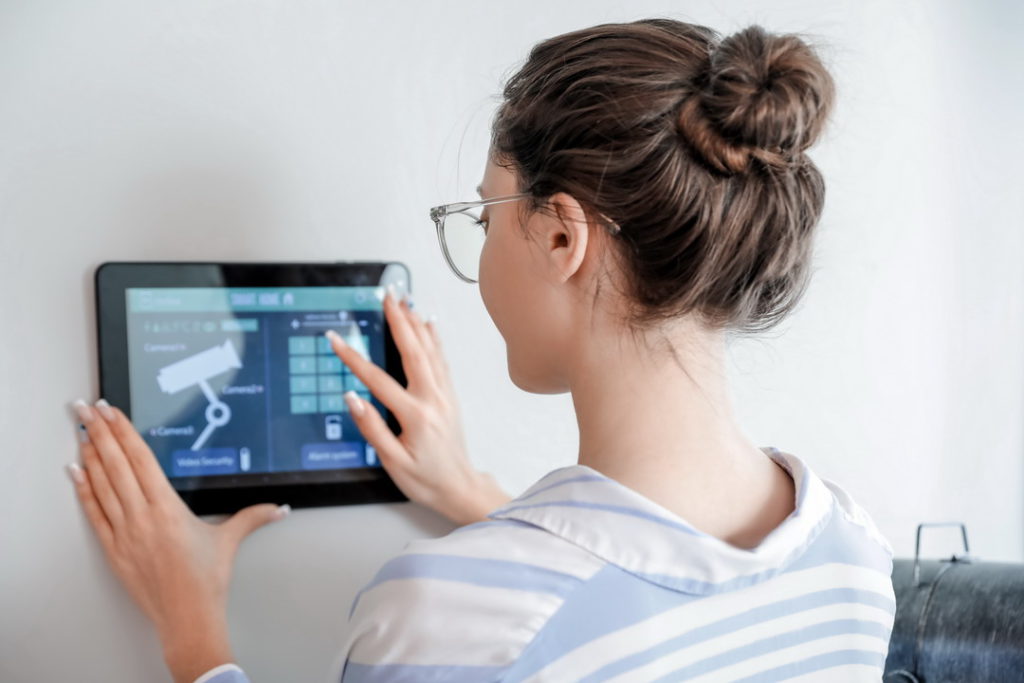
Electronic home security was a thing long before the internet and smartphones. Back in the 1970s and 80s, systems were controlled using keypads (hubs) usually mounted on the wall next to the front door. Most modern commercial security systems are still operated this way. But in the home security space, mobile apps have become a secondary option for system control.
My question is this: is mobile app system control better than using a central hub? Or maybe the hub is better? I am thinking it’s better for homeowners to have both. Let’s look at the two options and then go from there.
Primary Use Cases
The first thing to look at is the primary use case for each option. A home security hub – whether it is a keypad on the wall or a touchscreen device sitting on the kitchen counter – is more or less a centralized control system. You have access to every device and all its features. You can also program devices, set up routines, and make adjustments using a hub. The only downside is that you must be physically present to do so.
A home security app adds a considerable amount of flexibility in that it allows for remote access. You can be anywhere in the world and still manipulate your devices as long as you have an internet connection. On that point alone, it would seem like the mobile app is a better option. But let us dig a little deeper.
Full or Partial Control?
Vivint Home Security offers a purpose-built mobile app for its systems. Customers get full system control with the app even if they choose the brand’s basic HomeProtect package. Full system control means that the app can do everything Vivint’s smart security hub can do.
Not every home security app is like Vivint’s. Some apps only allow limited access. Others allow full access to devices but limit other things, like creating routines and modifying programs. Additional questions about access and control pop up when a consumer creates a mix-and-match system featuring multiple brands and their respective apps.
If the Internet Goes Down
Another key difference between the two options is what happens when the internet goes down. No internet could mean that your home security system loses its connection to the remote monitoring center. It is not necessarily a big deal if you are home at the time. Through your hub and Wi-Fi router, you can still access and monitor your equipment. You just lose access to remote features until the internet comes back up.
The same is true if you are using your mobile app at home. It connects to the same Wi-Fi network to provide the same access. But if you are away from home and the internet goes down, you’re now completely cut off from your system.
One way around this particular issue is to go with a system that connects through both Wi-Fi and cell signals. That way, you remain connected even if your broadband goes out. You would still have full access with both a security hub and your mobile app.
Receiving Alerts When You’re Away
Beyond access and control, one of the major benefits of a home security app is receiving real-time push notifications whenever you’re away. Not having an app means relying on your email. Email notifications do work, but they tend not to get the same amount of attention as push notifications. You could get an email and not see it for hours. But a push notification is going to be noticed right away.
As a side note, receiving a push notification gives you the opportunity to bring up your home security app with just a tap. You can see exactly what is going on at home. If you have video cameras, your app will probably let you monitor the feeds in real time.
Redundancy Is the Best Choice
Based on everything discussed in this post, it’s clear that neither option is better than the other. Both have their strengths and weaknesses. For most people, the best choice is redundancy. In other words, go with a system like HomeProtect, a system that comes with both a smart security hub and a mobile app offering full system control.
You can never go wrong with redundancy. By its nature, redundancy creates backup systems. If one system fails, the other is there to pick up the slack. Redundancy significantly decreases the chances that you’ll ever be in a position where you can’t access your security system.
The bottom line is that mobile apps are ideal for remote access and control. They can also be handy at home if you want to access a device without getting up and going to the hub. But home security hubs sometimes offer access to features unavailable through mobile apps. Their larger screens also make programming and monitoring easier on the eyes.
Building a System From Scratch
Everything discussed in this post assumes you own a home security system from a major brand. Whether it was professionally installed or a DIY system, everything is fully integrated; everything just works. But what if you build your own system from scratch?
Building a system piecemeal could limit your hub and mobile app choices. I would recommend going with a well-known open-source home automation platform that can be installed on an old laptop. The laptop acts as your central hub. Most open-source platforms also have companion mobile apps. Mine does. I have the same kind of redundancy other consumers have by investing in brand-name systems.
When it comes to home security apps and centralized hubs, neither one is inferior or superior. Both serve valuable purposes in the grand scheme of things. So if you’re thinking of investing in home security, do yourself a favor and go for both. You’re likely to experience at least one or two incidents for which redundancy proves invaluable. Having a mobile app with full system control keeps you connected while you are away. Having a hub improves your access at home.



More Stories
Beyond Telematics: How Connected Components Are Changing Commercial Vehicles
Understanding the Differences Between Wafer-to-Wafer and Die-to-Wafer Bonding in 3D Integration with Erik Hosler
Two-Way Table Analysis: Using Grand, Row, and Column Medians to Break Down Data